Webinar reminder software for teams that care about show rate
ShowFi.io helps webinar operators reinforce attendance with wallet-based visibility, so registrants can find the session when it is time to join instead of digging through email.
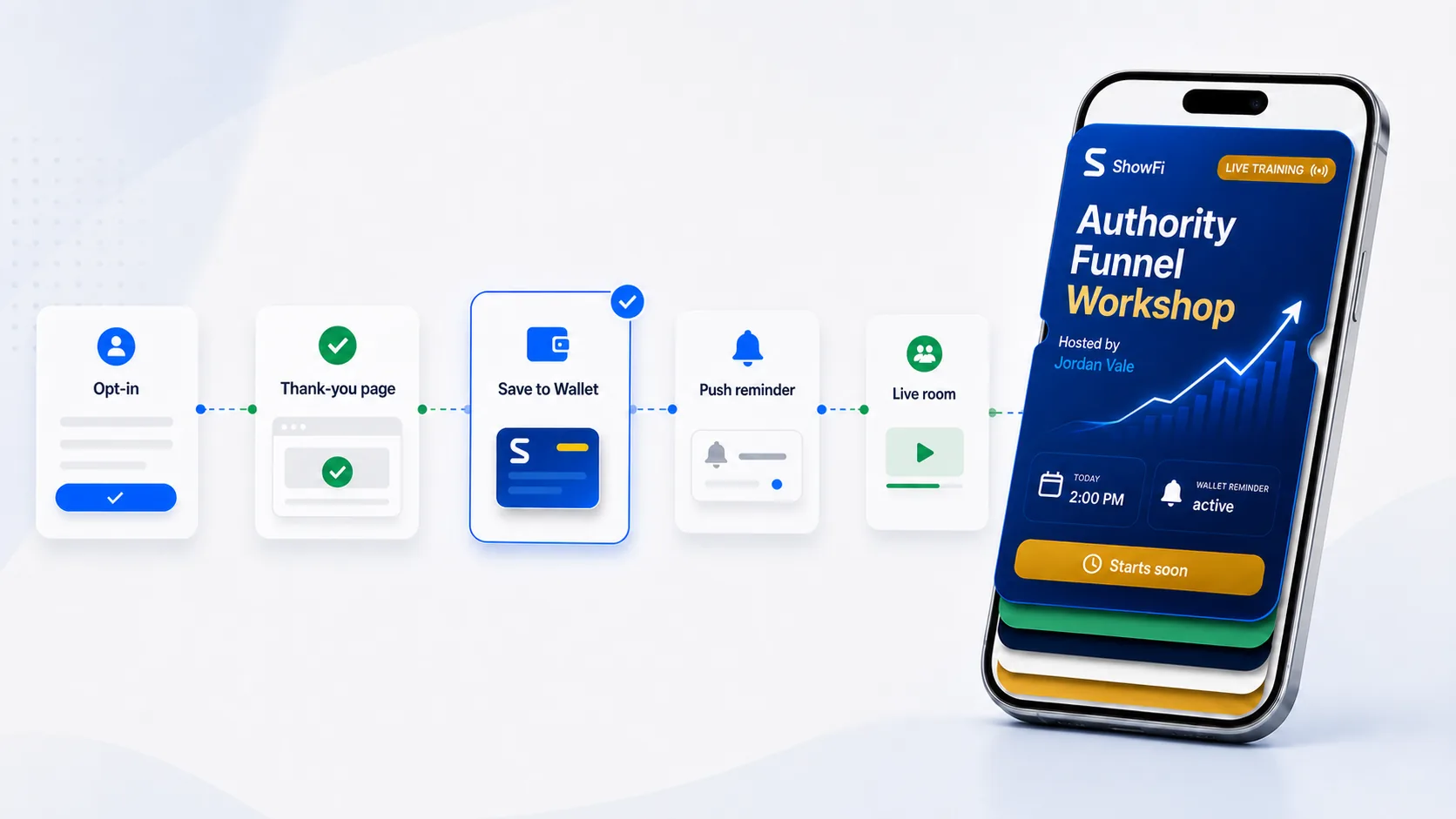
Deliver webinar access details into Apple Wallet and Google Wallet
Keep registrants closer to the event moment with more visible reminders
Pair wallet delivery with webinar follow-up and operational tracking
Why webinar attendance drops after registration
Most webinar no-shows are not caused by lack of intent. They come from timing, inbox clutter, and retrieval friction on the day of the event. ShowFi.io is designed to reduce that last-mile problem.
- Help registrants find the webinar faster on mobile
- Reinforce the session after opt-in without adding noise
- Support repeated webinar and challenge launch workflows
When to use webinar reminder software
Use a dedicated reminder layer when webinar registration is working but live attendance, late joins, or join-link retrieval are leaking revenue.
- Zoom webinar reminders are being missed or buried in inboxes.
- Registrants ask support where the join link is close to start time.
- Show-up rate is lower than expected even when registration volume is healthy.
- The webinar sequence needs email, SMS, calendar, and wallet to work together.
The reminder stack for webinar show-up rate
A strong webinar reminder system gives each channel a job instead of sending the same message everywhere.
- Email explains why the session matters and carries longer details.
- SMS is best for short, consent-based urgency.
- Calendar blocks the time before the session is forgotten.
- Wallet passes help registrants recover the session from mobile when timing matters.
How to set up webinar reminders
Build the reminder flow around the registration event and the moments when a registrant is most likely to lose the join path.
- Create the wallet pass as soon as the webinar registration is confirmed.
- Keep the webinar name, start time, and join destination consistent across every channel.
- Offer calendar and wallet saves on the thank-you page while intent is highest.
- Use the final-hour reminder for retrieval, not another long promotional message.
Choose software by the attendance problem
The right webinar reminder software should strengthen the part of your current stack that is leaking attendance.
- Choose email automation when education and longer pre-event content are missing.
- Choose SMS when you have consent and need a short final-hour nudge.
- Choose wallet passes when mobile visibility and join-link retrieval are the weak points.
- Keep Zoom or your webinar platform as the session system of record.
Frequently asked questions
Practical answers for choosing the right reminder layer for high-intent attendance moments.
What is webinar reminder software?
It is software that helps move registrants from signup to attendance with timed reminders, join-link retrieval, and channel coordination.
How do wallet passes help reduce webinar no-shows?
Wallet passes give the webinar a more visible mobile surface so registrants do not have to dig through old email when the session starts.
Should Zoom webinar reminders still be used?
Yes. Native Zoom reminders are useful, but teams with attendance pressure should add fallback retrieval through calendar, SMS, and wallet.
What should a webinar reminder sequence include?
Start with instant confirmation, add calendar and wallet options, then send reminders one day before, one hour before, and close to start.